Affiliate Disclosure:Home Vacuum Zone is reader-supported. When you buy through links on our site, we may earn an affiliate commission at no additional cost to you. This does not influence our reviews or recommendations — we only recommend products we genuinely believe in.
Robot vacuums promise hands-free floor cleaning, but they require regular maintenance to perform at their best. Neglected robots lose suction, miss spots, and eventually break down prematurely. A well-maintained robot vacuum can last 5 to 7 years, while a neglected one may fail within 2 years.
This guide covers robot vacuum maintenance from top to bottom. We’ll walk through cleaning the dustbin, filters, brush rolls, sensors, and docking station. By the end, you’ll have a clear maintenance schedule that keeps your robot running like new.
Understanding Robot Vacuum Maintenance
Robot vacuums have more components than traditional vacuums, and each requires attention. Main parts to maintain: dustbin, filters, brush rolls, side brushes, sensors, wheels, and docking station. Premium models with mopping functions add water tanks, mop pads, and washing mechanisms to the list.
How often you’ll need to do this depends on your home environment. Homes with pets, carpet, or high foot traffic need more frequent cleaning. A single person in a small apartment with hard floors can get away with less.
Good news? Most maintenance tasks take only 5 to 10 minutes. Consistency is what matters. Set a regular schedule and you’ll prevent the buildup that causes performance problems.
Weekly Maintenance Tasks
Empty the Dustbin
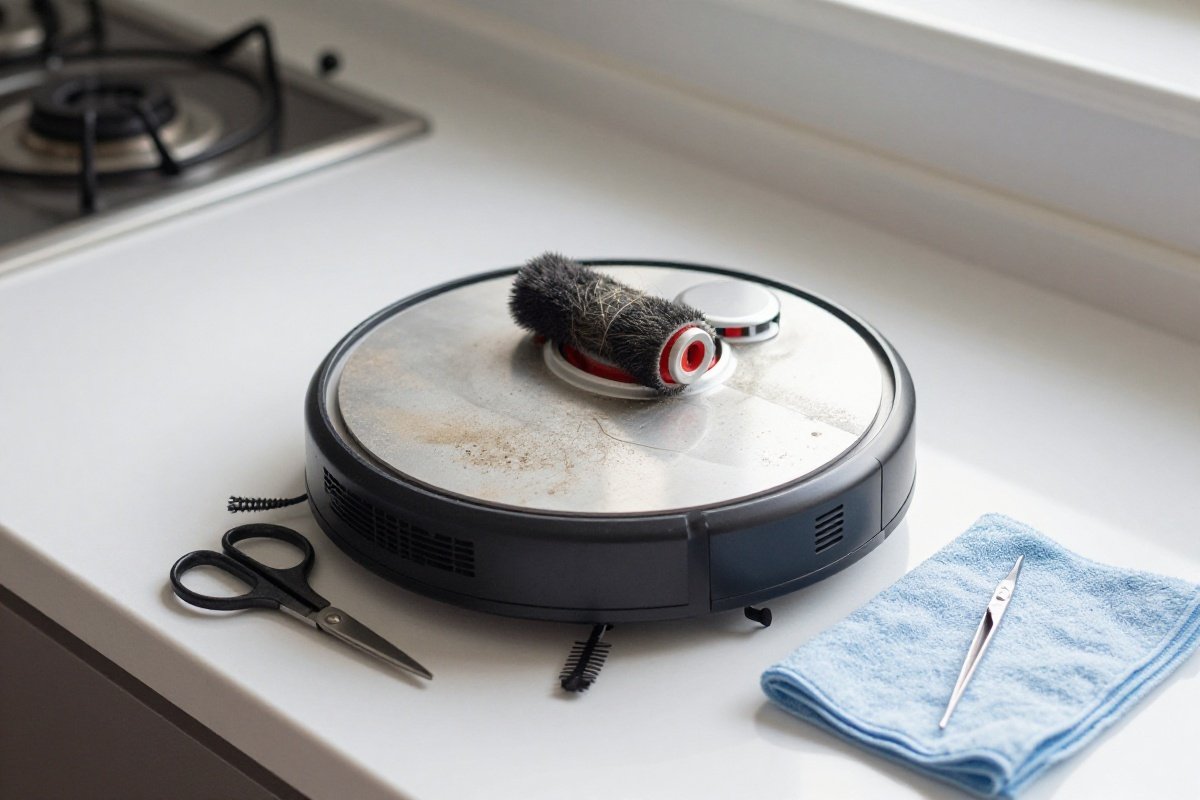
Empty the dustbin after every cleaning cycle for optimal performance. If you run the robot daily, emptying every 2 to 3 days is acceptable. Full dustbins reduce suction power and can cause debris to back up into the motor.
For robots with self-emptying bases like the iRobot Roomba j7+, the base holds up to 60 days of debris. Even with self-emptying, check the base periodically to ensure it is functioning correctly.
To empty the dustbin:
- Press the release button to remove the dustbin from the robot.
- Open the dustbin lid over a trash container.
- Shake out debris gently.
- Use a small brush or compressed air to remove stuck particles.
- Wipe the interior with a dry cloth if needed.
Don’t wash the dustbin with water unless the manufacturer explicitly allows it. Water can damage the motor and electronics.
Clean the Filters
Filters capture fine dust and allergens. Clogged ones reduce suction and strain the motor. Most robot vacuums have a primary filter and sometimes a pre-filter or HEPA filter.
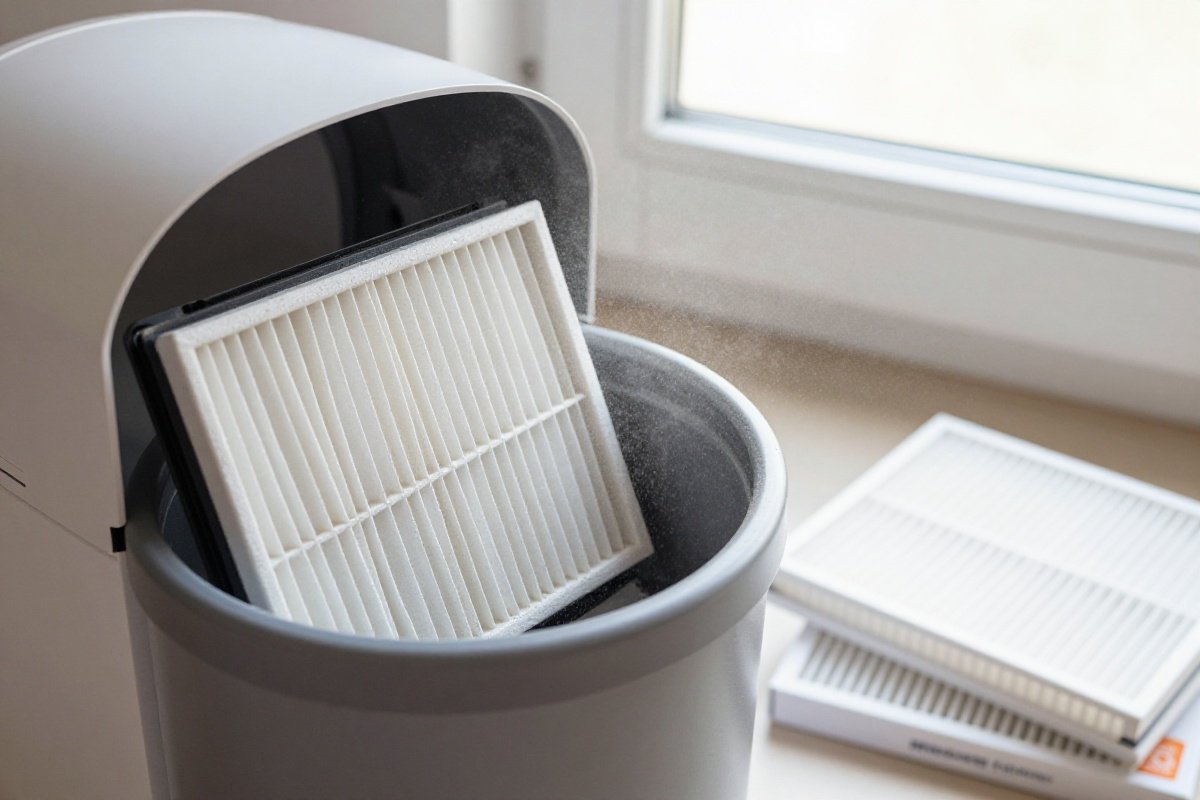
Weekly filter maintenance:
- Remove the filter from the dustbin compartment.
- Tap the filter gently against a hard surface to dislodge dust.
- Use a soft brush to remove remaining particles.
- For foam pre-filters, rinse with water and air-dry completely (24 hours minimum).
- Never wash HEPA or paper filters unless the manual specifically allows it.
Replace filters every 2 to 3 months, or more frequently if you’ve got pets or allergies. Roborock’s S8 MaxV Ultra and similar premium models use high-efficiency filters that benefit from monthly replacement in pet households.
Check Brush Rolls for Hair and Debris
Brush rolls are the most maintenance-intensive component of any vacuum. Hair wraps around the brush axle and reduces cleaning effectiveness. Left unchecked, tangled hair can burn out the motor.
Weekly brush maintenance:
- Flip the robot over and locate the main brush roll.
- Press the release tabs to remove the brush roll cover.
- Pull out the brush roll and end caps.
- Use scissors or a seam ripper to cut away wrapped hair.
- Clean debris from the brush bearings and axle.
- Reinstall the brush roll and secure the cover.
Some robots like the Shark AI Ultra feature self-cleaning brush rolls that reduce hair tangling. Even these benefit from monthly inspection.
Inspect Side Brushes
Side brushes sweep debris from edges and corners into the main brush path. They collect hair and debris around their mounting points, which can cause them to stop spinning.
Weekly side brush maintenance:
- Flip the robot and locate the side brush (usually one or two).
- Unscrew or pull off the side brush.
- Remove hair and debris from around the mounting post.
- Check the brush bristles for wear or damage.
- Reinstall the side brush securely.
Replace side brushes every 3 to 6 months, as the bristles wear down and lose effectiveness.
Monthly Maintenance Tasks
Clean Sensors and Cameras
Your robot relies on sensors and cameras for navigation. Dirty sensors cause navigation errors, missed spots, and stuck robots. Models with camera-based navigation like the Ecovacs Deebot X2 Omni are particularly sensitive to dirty lenses.
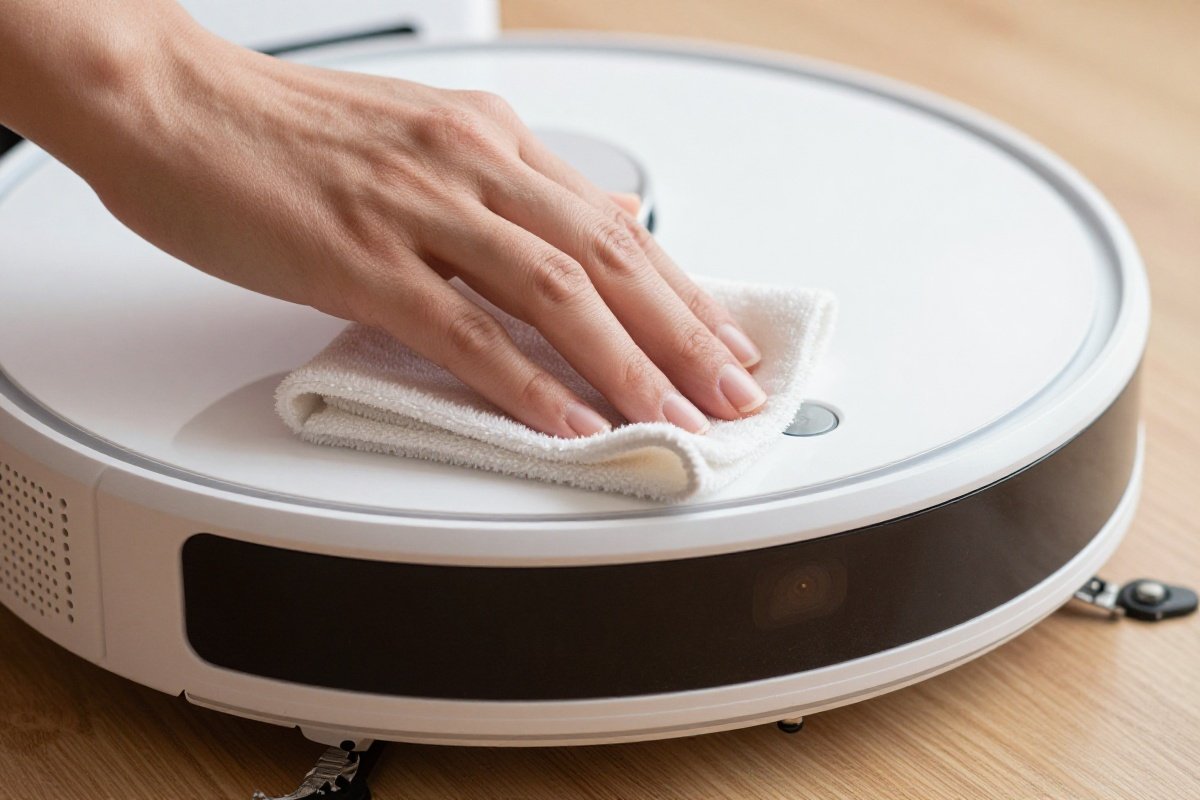
Monthly sensor cleaning:
- Locate all sensors on the robot. Common locations include the front bumper, bottom edge, and top camera dome.
- Use a soft, dry microfiber cloth to wipe each sensor.
- For stubborn dirt, lightly dampen the cloth with water (no chemicals).
- Clean the camera lens with a lens wipe designed for electronics.
- Check the charging contacts on the robot and dock, and clean with a dry cloth.
Don’t use harsh chemicals or abrasive materials on sensors. They can permanently damage the optical components.
Clean Wheels and Casters
Drive wheels and the front caster accumulate hair and debris that affect mobility. A robot with dirty wheels may struggle to transition between floor types or climb thresholds.
Monthly wheel maintenance:
- Flip the robot and examine the drive wheels.
- Use tweezers or a small tool to remove hair wrapped around wheel axles.
- Check the front caster wheel and remove any debris.
- Spin each wheel manually to ensure free movement.
- Wipe the wheel treads to remove accumulated dust.
Wipe the Underside
Dust and debris accumulate on the robot’s underside, affecting airflow and sensor performance. A quick monthly wipe-down keeps everything clean.
- Use a dry or lightly dampened cloth to wipe the entire underside.
- Pay attention to the air intake vents and sensor windows.
- Allow the robot to dry completely before returning it to the dock.
Docking Station Maintenance
Standard Docks
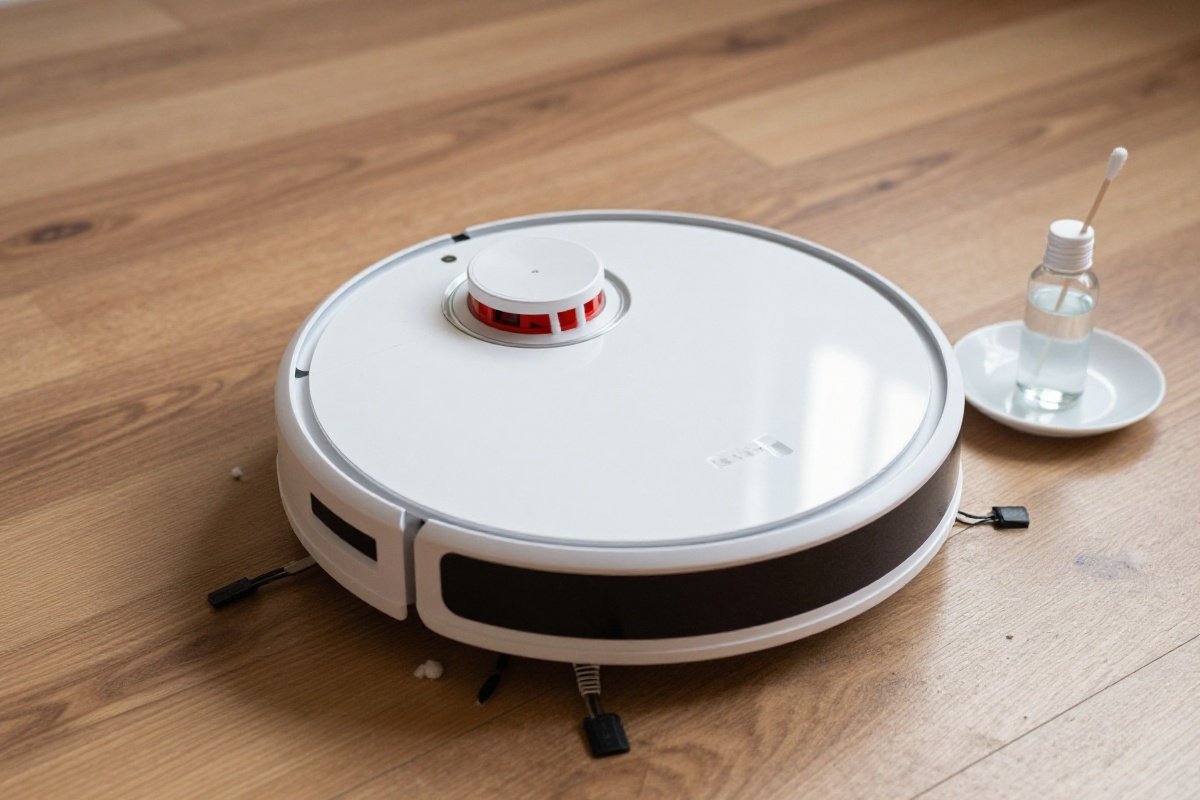
Basic charging docks require minimal maintenance. Keep the area around the dock clear of obstacles. Wipe the charging contacts monthly with a dry cloth to ensure reliable charging.
If your robot occasionally fails to charge, check for debris on the dock contacts and clean them with rubbing alcohol on a cotton swab.
Self-Emptying Bases
Self-emptying bases like those on the iRobot Roomba j7+ and Shark AI Ultra require more attention. The base transfers debris from the robot to a larger dust bag or bin.
Monthly self-emptying base maintenance:
- Check the dust bag level and replace when full.
- Wipe the exterior of the base station.
- Clean the transfer port where debris enters the base.
- Inspect the charging contacts on the base.
- Ensure the base is plugged into a reliable power source.
Most self-emptying bases need bag replacement every 30 to 60 days, depending on cleaning frequency and floor type.
Mopping Robot Docks
Premium mopping robots like the Roborock S8 MaxV Ultra and Ecovacs Deebot X2 Omni have sophisticated dock stations that wash and dry mop pads. These require the most maintenance of all robot vacuum systems.
Weekly mopping dock maintenance:
- Check clean water tank level and refill as needed.
- Empty dirty water tank before it overflows.
- Clean the mop washing tray and drain.
- Wipe the mop pad drying area.
- Check for mineral buildup in water lines.
Monthly mopping dock maintenance:
- Clean both water tanks with mild soap and water.
- Descale the water system if you have hard water.
- Replace the mop pad if worn or stained.
- Clean the dock’s exterior thoroughly.
Roborock’s S8 MaxV Ultra uses hot water washing and hot air drying to keep mop pads fresh. Even with this advanced system, monthly deep cleaning prevents odours and bacteria growth.
Deep Cleaning Every 2 to 3 Months
Disassemble and Clean All Components
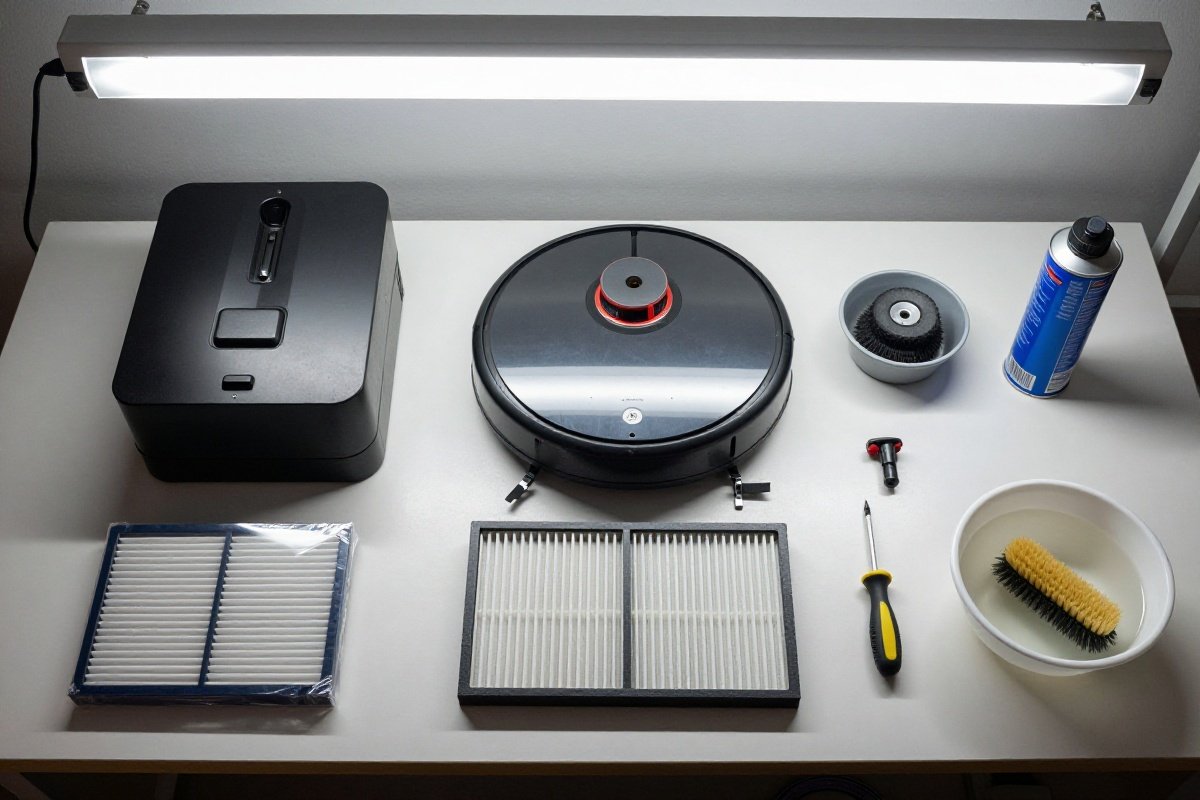
Every 2 to 3 months, perform a thorough deep clean of your robot vacuum. This prevents gradual performance decline and extends the robot’s lifespan.
Deep cleaning steps:
- Remove and clean the dustbin thoroughly with a dry brush.
- Replace or deep-clean all filters.
- Remove and inspect the main brush roll. Clean the bearings and check for wear.
- Remove and clean side brushes.
- Clean all sensors, cameras, and charging contacts.
- Remove hair from wheel axles and caster wheels.
- Wipe the entire exterior and underside.
- Check for firmware updates through the manufacturer’s app.
Check Battery Health
Robot vacuum batteries degrade over time. If you notice reduced runtime, the battery may need replacement. Most lithium-ion batteries last 2 to 4 years with regular use.
To maximize battery life:
- Keep the robot docked when not in use.
- Avoid complete battery discharges.
- Run the robot 3 to 4 times per week rather than daily for large homes.
- Store the robot at room temperature, not in garages or basements.
Common Mistakes to Avoid
Neglecting Filter Replacement
Filters lose effectiveness over time. A clogged filter reduces suction and lets fine dust recirculate into your air. Replace them according to the manufacturer’s schedule, or more frequently in dusty environments or pet households.
Ignoring Error Messages
Modern robot vacuums display error codes through their apps. Ignoring these warnings can lead to bigger problems. Don’t wait — consult the user manual or manufacturer support and address errors promptly.
Using Harsh Cleaning Chemicals
Sensors, cameras, and plastic components are sensitive to chemicals. Use only water or manufacturer-approved cleaning solutions. Avoid alcohol on optical sensors and never submerge any part of the robot in water.
Skipping Dock Maintenance
It’s easy to ignore the docking station, but dirty contacts cause charging failures. A robot that can’t charge properly will degrade its battery and shorten its overall lifespan.
Overloading Self-Emptying Bases
Even with a 60-day capacity, self-emptying bases can clog if debris is too large or wet. Avoid vacuuming large debris, wet spills, or anything that could clog the transfer mechanism.
Recommended Robot Vacuums for Easy Maintenance
Not all robot vacuums are equal when it comes to maintenance. Some models are designed for easier care than others.
iRobot’s Roomba j7+ features a self-emptying Clean Base that holds 60 days of debris. Less frequent emptying means less time spent on maintenance. Brush roll design resists hair tangling, reducing the most time-consuming task.
Roborock’s S8 MaxV Ultra includes a self-washing mop system that automates the most tedious aspect of robot mop maintenance. Hot water washing and hot air drying keep the mop pad clean without manual intervention, and the 2.5L dustbin capacity in the dock extends time between emptying.
Ecovacs’ Deebot X2 Omni offers similar automation with hot water mop washing and auto-emptying. Its square D-shape design makes corner cleaning more effective, reducing the need for follow-up vacuuming.
Shark’s AI Ultra includes a 60-day self-emptying base and Matrix Clean navigation for thorough coverage. Sonic mopping adds hard floor cleaning without the complexity of self-washing systems.
Maintenance Schedule Summary
| Task | Frequency | Time Required |
|---|---|---|
| Empty dustbin | After each clean or weekly | 1 minute |
| Clean filters | Weekly | 2 minutes |
| Check brush rolls | Weekly | 3 minutes |
| Inspect side brushes | Weekly | 2 minutes |
| Clean sensors and cameras | Monthly | 5 minutes |
| Clean wheels and casters | Monthly | 3 minutes |
| Clean docking station | Monthly | 5 minutes |
| Deep clean all components | Every 2 to 3 months | 20 minutes |
| Replace filters | Every 2 to 3 months | N/A |
| Replace side brushes | Every 3 to 6 months | N/A |
| Replace mop pads | Every 3 to 6 months | N/A |
Final Tips for Robot Vacuum Longevity
Consistency matters more than perfection. A robot that gets regular basic maintenance will outperform a neglected one that gets sporadic deep cleaning.
Set calendar reminders for monthly tasks. Most robot vacuum apps include maintenance reminders that notify you when components need attention.
Keep spare filters, brushes, and mop pads on hand. Waiting for replacement parts delays maintenance and strains your robot.
If you’ve got pets, accept that maintenance will be more frequent. Pet hair is the biggest enemy of robot vacuum longevity. Consider a model specifically designed for pet hair if you have multiple shedding animals.
For more vacuum maintenance guidance, see our article on How Often Should You Vacuum. If you are dealing with cat litter specifically, our guide to Best Vacuums for Cat Litter 2026 covers specialized solutions.
A well-maintained robot vacuum provides years of hands-free cleaning. Ten minutes a week is all it takes — and it pays off in consistent performance and extended lifespan.
Recommended Products
iRobot Roomba j7+ Self-Emptying Robot Vacuum
Best current RoombaThe iRobot Roomba j7+ combines PrecisionVision camera-based obstacle avoidance with a 60-day self-emptying Clean Base and the P.O.O.P. guarantee for pet waste detection, setting it apart from older Roomba models. It is best for pet owners who want the confidence that their robot will navigate around cords, shoes, and pet accidents without getting stuck.
What We Like
- PrecisionVision AI obstacle avoidance (avoids pet waste)
- 60-day capacity self-emptying Clean Base
- Smart mapping with room-specific cleaning schedules
- Pet Owner Official Promise (P.O.O.P.)
What We Don't
- Premium price point
- No mopping capability
- Camera-based navigation requires adequate lighting
Roborock S8 MaxV Ultra
Best overallThe Roborock S8 MaxV Ultra delivers 10000Pa HyperForce suction with ReactiveAI 2.0 camera-based obstacle avoidance and a self-washing hot water mop system. Best for tech-forward households who want the most autonomous cleaning experience available and are willing to invest in a premium dock setup.
What We Like
- Advanced ReactiveAI 2.0 obstacle avoidance with voice control
- Self-washing and drying mop with hot water
- 10000Pa HyperForce suction (not 6000Pa)
- VibraRise 3.0 sonic mopping system
What We Don't
- Very expensive premium pricing
- Large dock requires significant floor space
- 4-hour charging time means extended downtime between cleaning sessions in large homes
Ecovacs Deebot X2 Omni
Best robot vacuum-mop comboThe Ecovacs Deebot X2 Omni combines 8,000 Pa suction with a unique square D-shape design for superior corner cleaning, plus hot-water mop washing and auto-drying. One of the most feature-complete robot vacuum-mop combos available for hands-off whole-home maintenance.
What We Like
- Square D-shape design reaches corners better than round robots
- Hot water mop washing at 131°F with auto-drying
- Powerful 8,000 Pa suction among the strongest available
- 15mm auto-lift mopping system clears medium-pile carpets
- Extendable mop reaches edges and corners
What We Don't
- Premium pricing at the top of the robot vacuum market
- Large dock footprint requires dedicated floor space
- Square shape may have difficulty in very tight curved areas
- Requires regular base station maintenance and cleaning
Shark AI Ultra 2-in-1 Robot Vacuum & Mop
Best Shark robotThe Shark AI Ultra 2-in-1 pairs 360-degree LiDAR navigation with sonic mopping at 100 scrubs per minute and a 60-day self-emptying base, delivering thorough vacuuming and mopping in a single pass. Best for households wanting Shark's most capable robot without paying the premium of competing brands like Roborock or Ecovacs.
What We Like
- 360° LiDAR navigation for precise room mapping
- 60-day bagless self-emptying base
- Sonic mopping with scrubbing motion
- Good value for 2-in-1 functionality
What We Don't
- Basic obstacle avoidance without camera-based AI
- Limited to single-floor mapping
- 6-hour charging time is significantly longer than competitors
- Sonic mopping lacks the water pressure of dedicated robot mops
Sources & Research
Continue Reading
Explore more maintenance & floor care content or browse our other categories.
Frequently Asked Questions
- How often should I clean my robot vacuum?
- Empty the dustbin after each cleaning cycle or at least weekly. Clean the filter weekly. Check brush rolls for hair and debris weekly. Wipe sensors monthly. Clean the charging contacts and dock monthly. Deep clean all components every 2 to 3 months for optimal performance.
- Can I wash robot vacuum filters?
- It depends on the filter type. HEPA filters and paper filters should never be washed. Rinse them gently with water only if the manufacturer explicitly allows it. Foam pre-filters can typically be washed with water and air-dried completely before reinserting. Always check your user manual for specific filter care instructions.
- Why does my robot vacuum keep getting stuck?
- Common causes include dirty obstacle avoidance sensors, tangled brush rolls reducing mobility, cluttered floors with cables or small objects, and outdated mapping software. Clean all sensors with a soft cloth, remove hair from brushes, clear floor obstacles, and ensure your robot's firmware is current through the manufacturer's app.
- How long do robot vacuum batteries last?
- Most robot vacuum batteries last 2 to 4 years with regular use, equivalent to 300 to 500 charging cycles. To maximize battery life, keep the robot docked when not in use, avoid complete discharges, and run cleaning cycles 3 to 4 times per week rather than daily for large homes.
- Do self-emptying bases need cleaning?
- Yes, self-emptying bases require monthly maintenance. Check the dust bag and replace when full, typically every 30 to 60 days. Wipe the charging contacts and empty any debris from the base station. For mopping robots, clean the water tanks and mop washing mechanism every 1 to 2 weeks to prevent odors and bacteria growth.
Written By
Home Vacuum Zone
Our team researches, tests, and reviews vacuum cleaners to help you make confident buying decisions.
Related Articles
5 Best Steam Mops for Hardwood Floors (2026 Reviews)
Find the best steam mop for hardwood floors in 2026. Our top picks include safe, effective options from Bissell, Shark, and PurSteam with adjustable steam settings.
How Often Should You Vacuum? Complete Guide by Floor Type & Lifestyle
Learn exactly how often to vacuum based on your home's traffic, pets, allergies, and floor type. Get personalized recommendations and discover the best vacuums for your specific needs.
How to Deep Clean Carpet Without a Machine: 3 DIY Methods (2026)
Learn 3 effective DIY methods to deep clean carpet without a machine. Compare baking soda, vinegar, and steam methods with step-by-step instructions, costs, and recommended products.